Before you begin
RetireOS starts blank.
A new installation contains the reference rules needed by the forecast but no fictional household data. Enter your own plan through the five setup areas below. During private testing, named test plans may also be loaded from Saved Plans.
Setup or edit?
Use Setup to work through a complete area. After setup, tap an individual line when you only need to change that item.
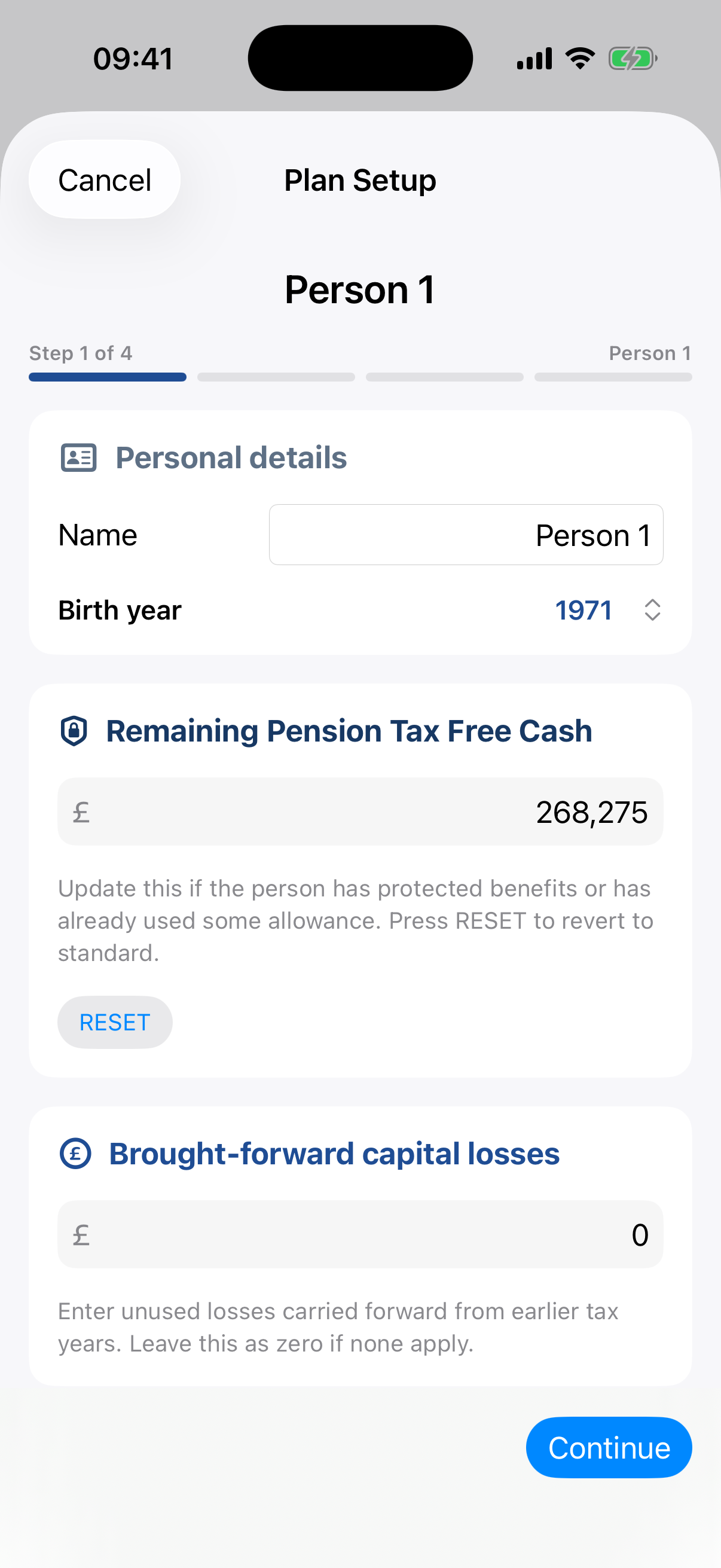
1 · Plan Setup
Who are we planning for?
Enter each owner, the plan start and number of years to forecast. Confirm each person's remaining pension tax-free cash and any brought-forward capital losses.
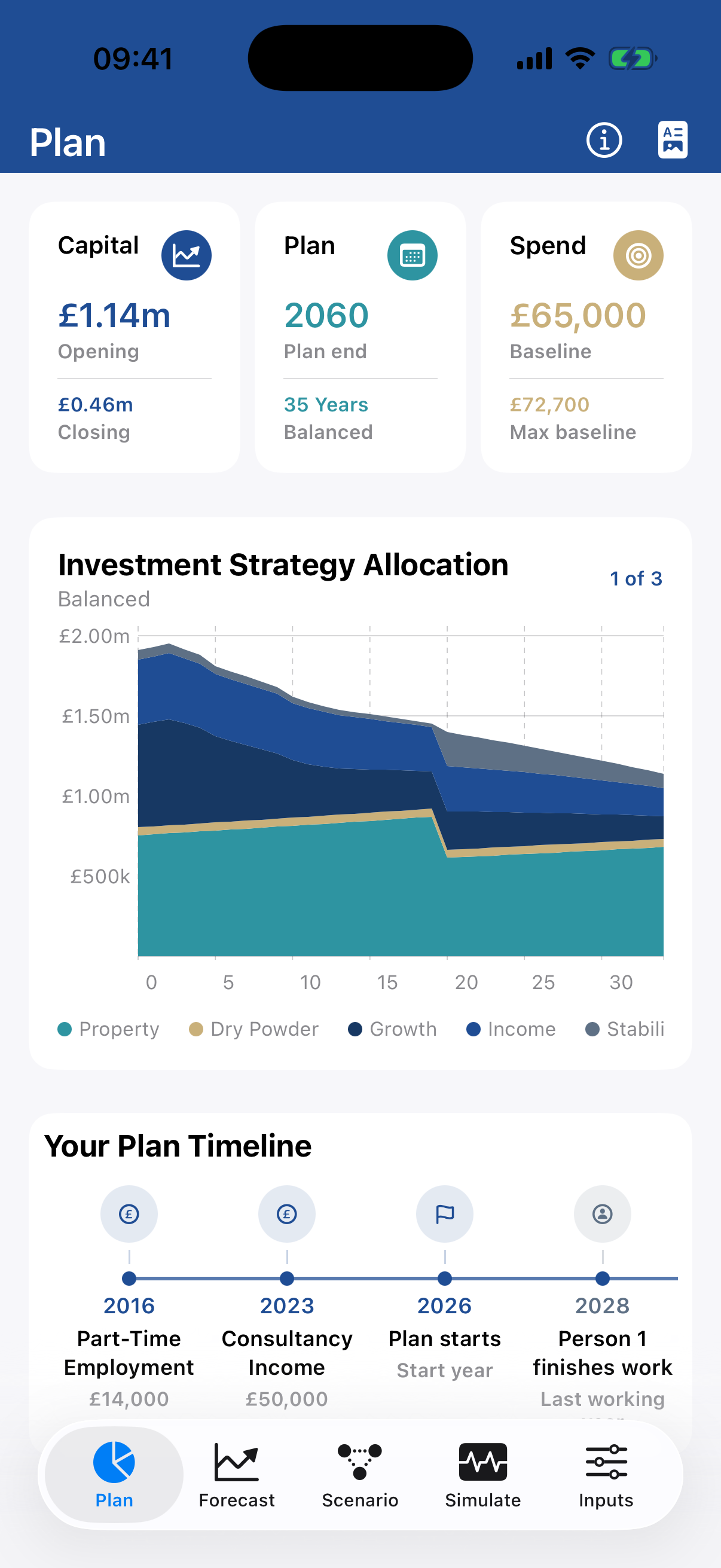
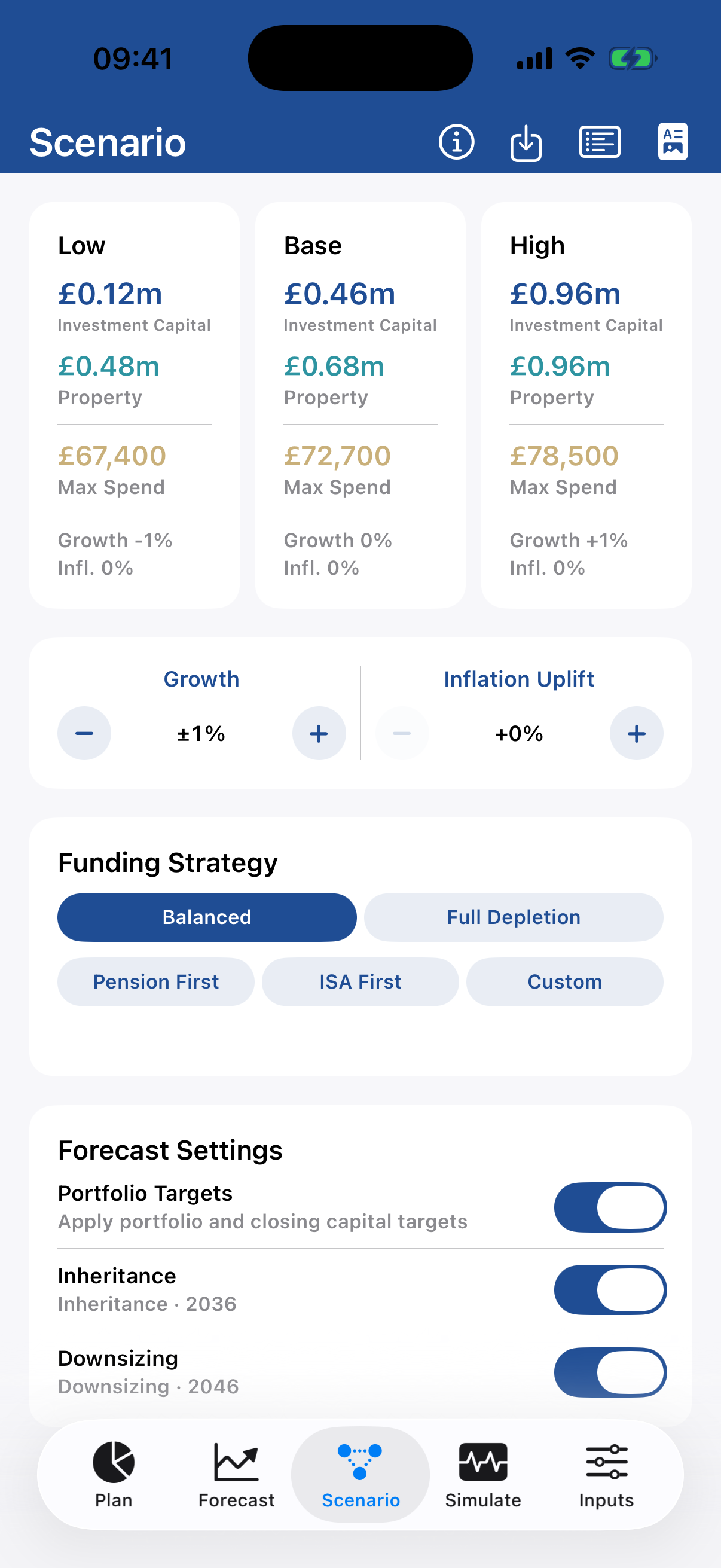
Growth, Portfolio Targets and reference rules live under Your Plan. Funding strategy is selected later in Scenario.
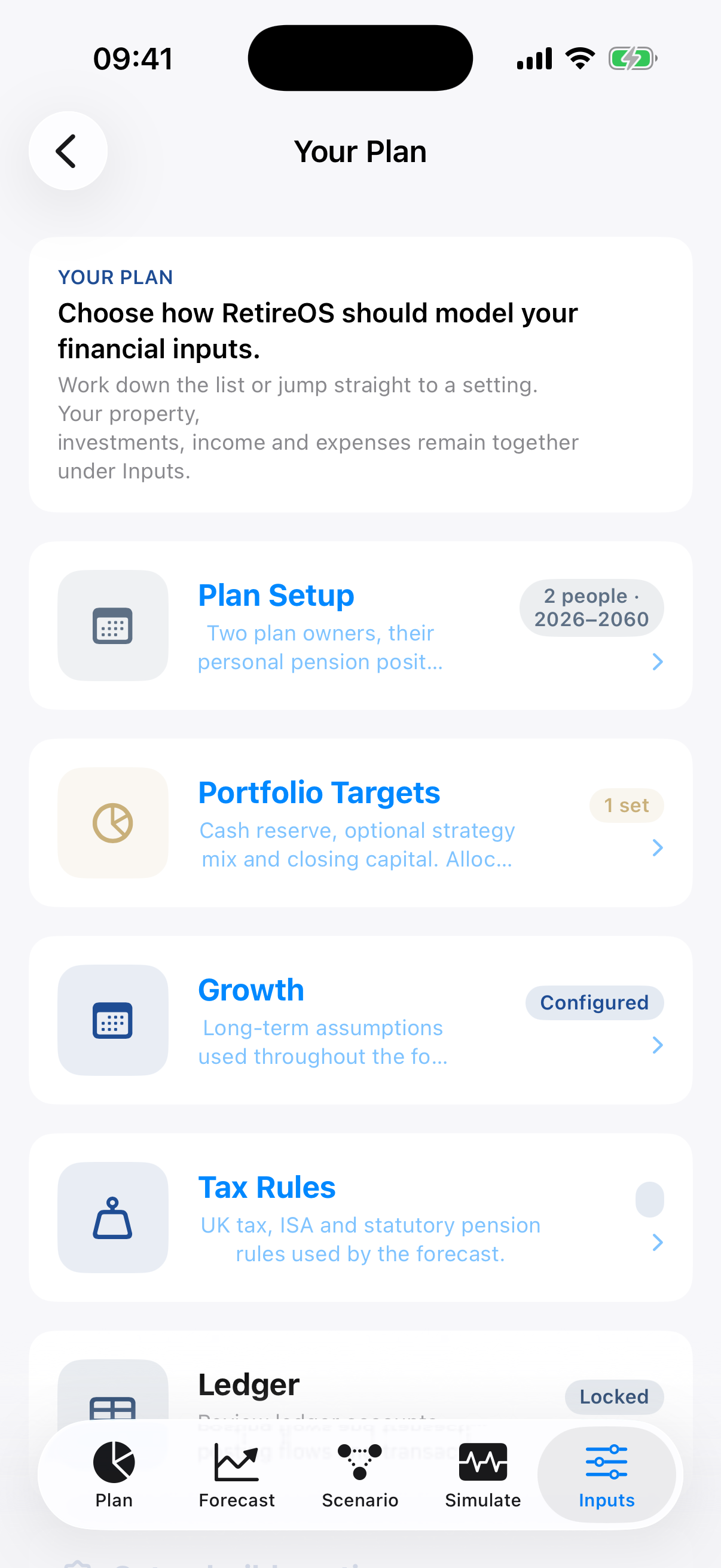 Your Plan list
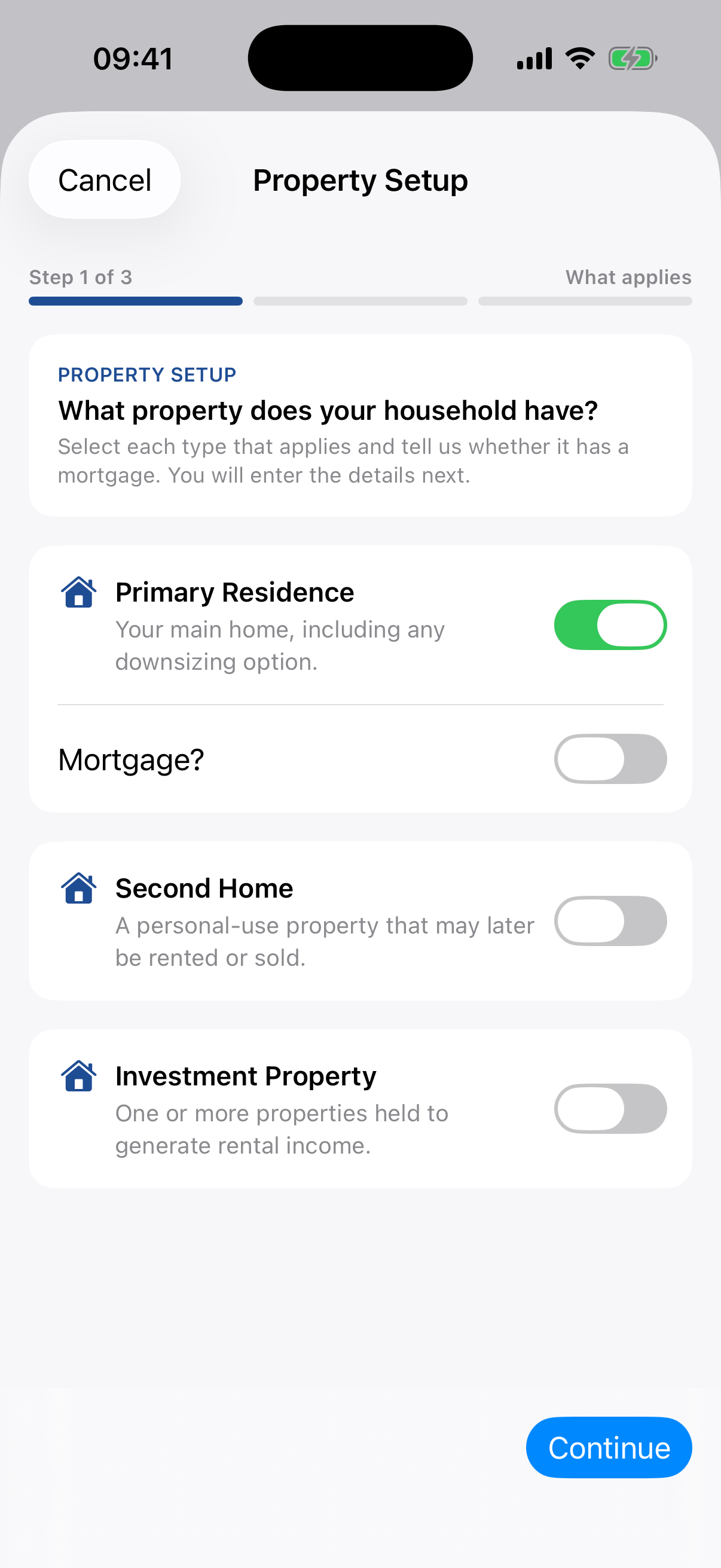
2 · Property Setup
Add homes, mortgages and future decisions.
Set up a Primary Residence, an optional Second Home and any Investment Properties. The helper captures mortgage terms and guides relevant downsizing, rental conversion or sale decisions.
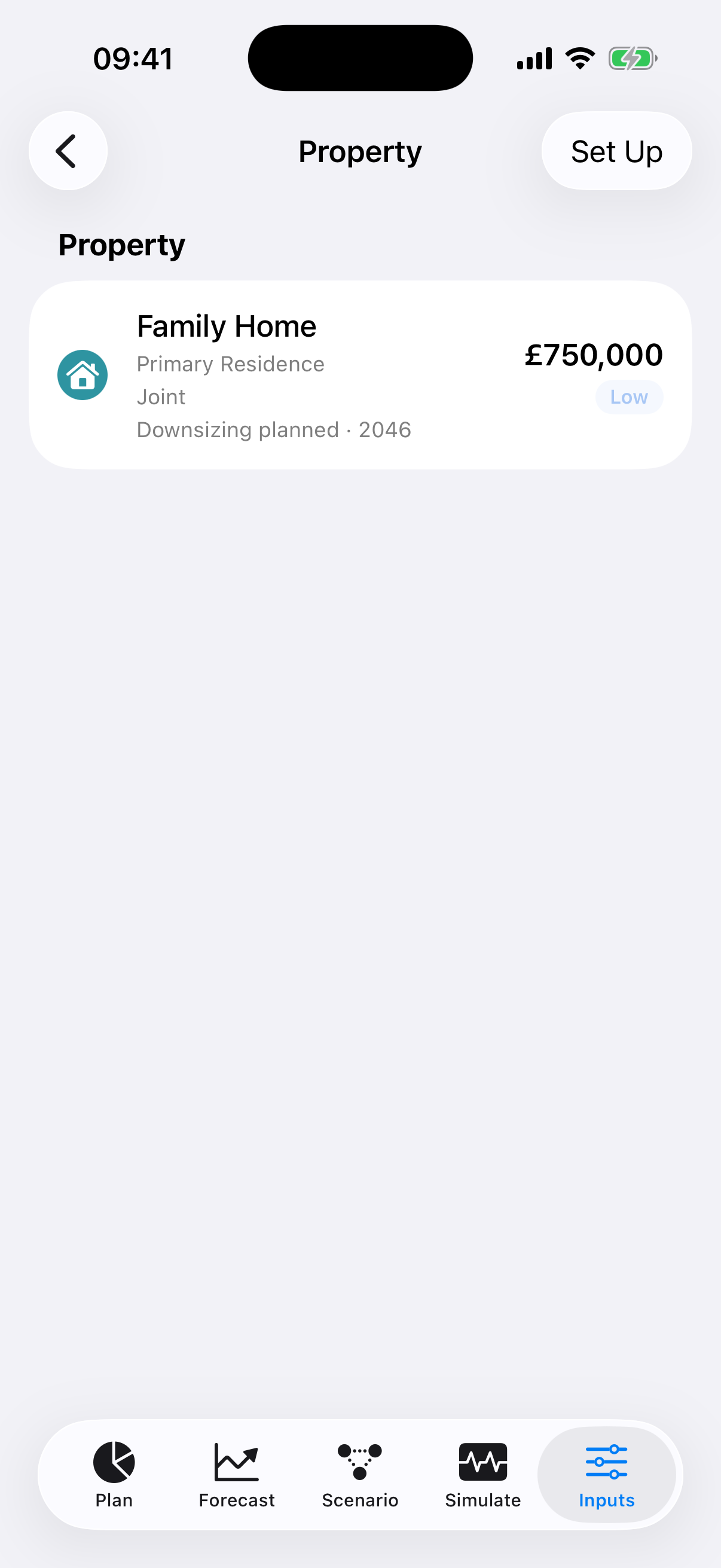 Property list
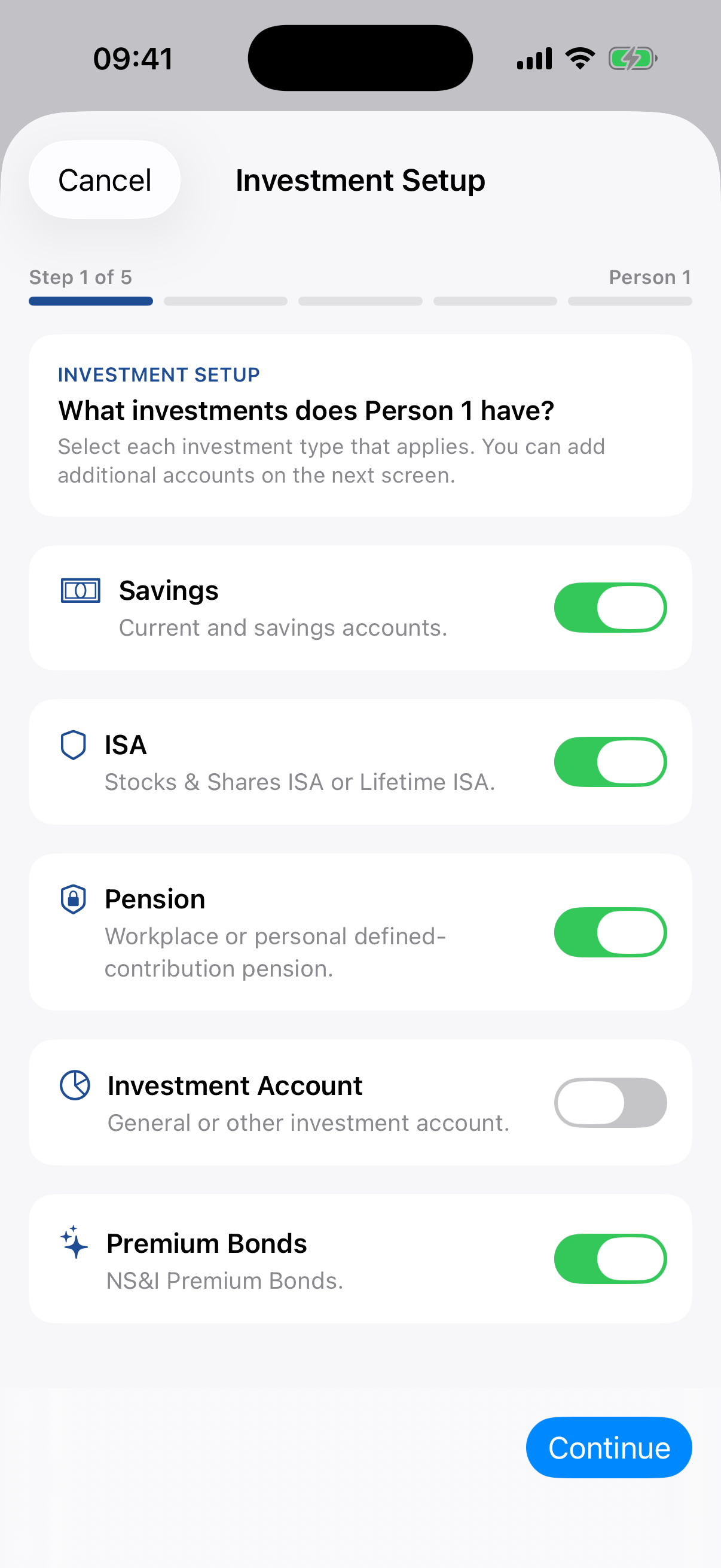
3 · Investment Setup
Record where money is held and what it is for.
Add savings, Premium Bonds, ISAs, pensions and GIAs for each owner. Wrapper describes where money is held. Investment Strategy—Stability, Income, Growth or Dry Powder—describes its role.
Allocation target limitation
Portfolio Targets can record an intended mix, but automated rebalancing to that mix is not yet implemented.
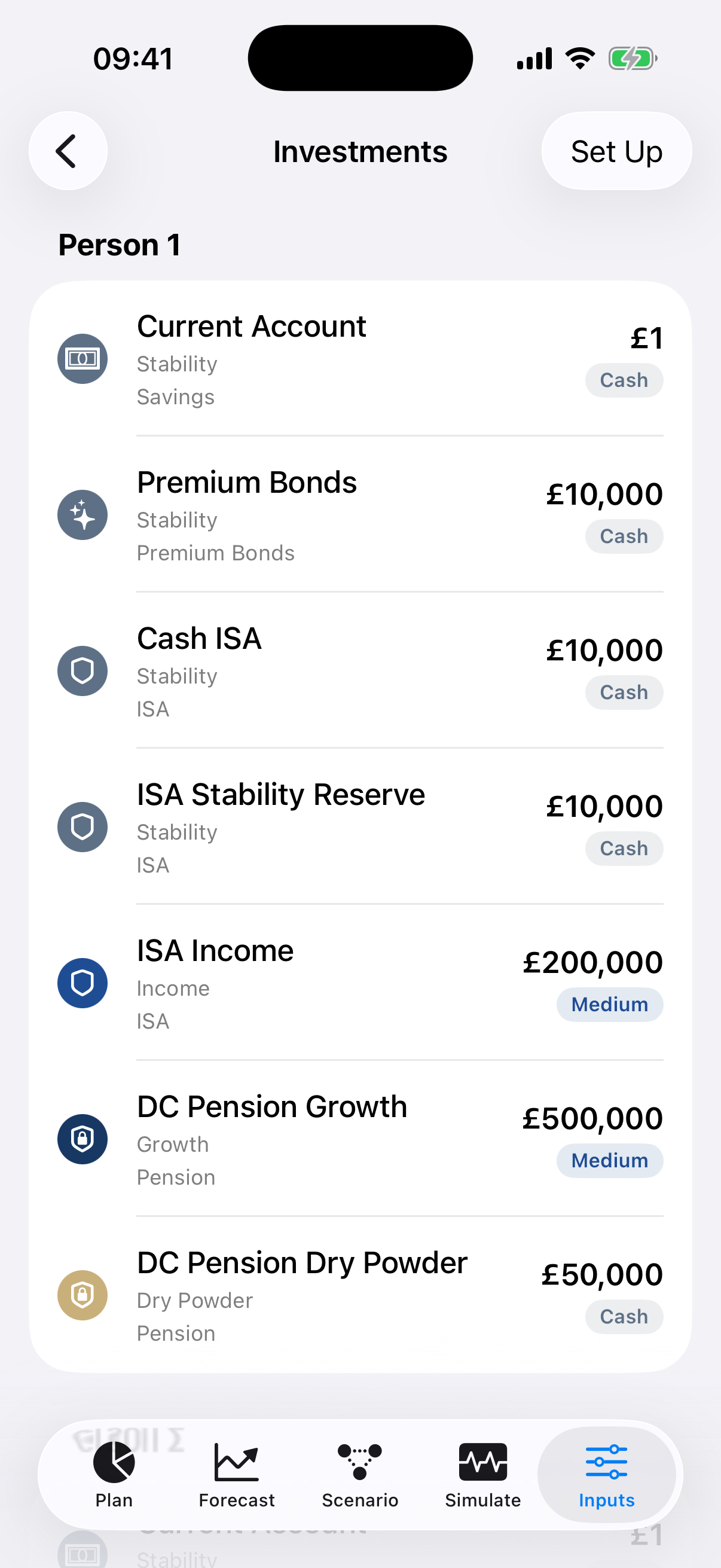 Investments list
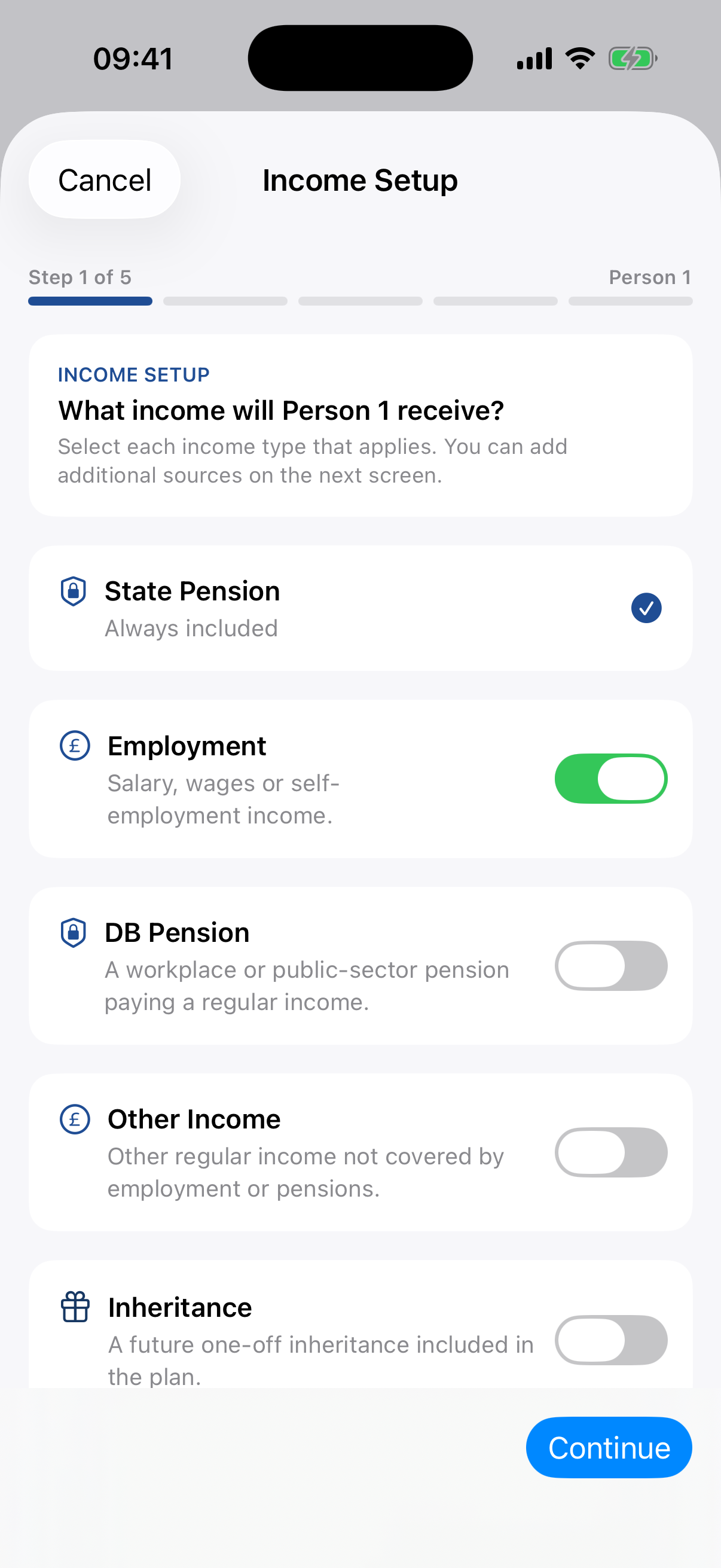
4 · Income Setup
Build income one owner at a time.
Confirm State Pension and add employment, Defined Benefit pensions, other income and inheritance. The helper asks which sources exist before guiding you through each item.
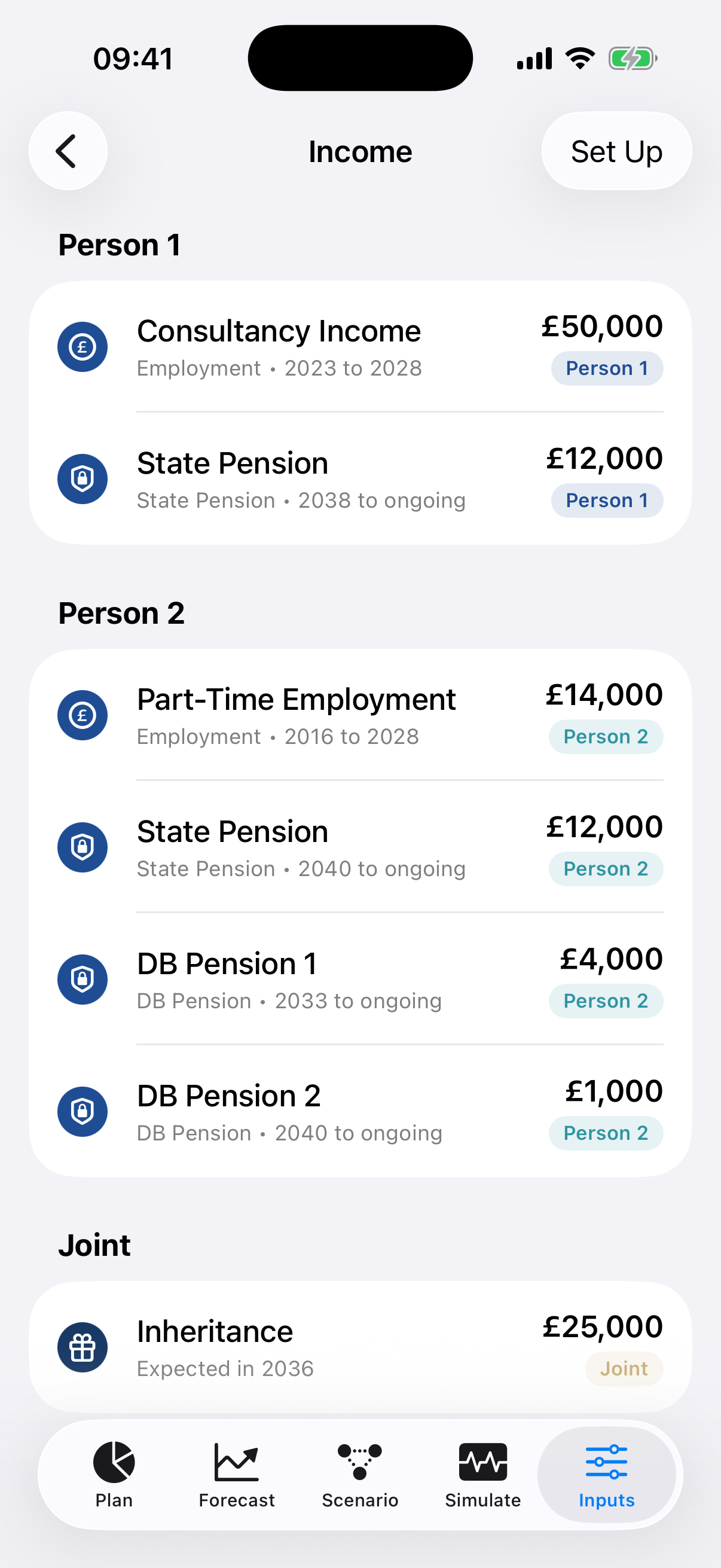 Income list
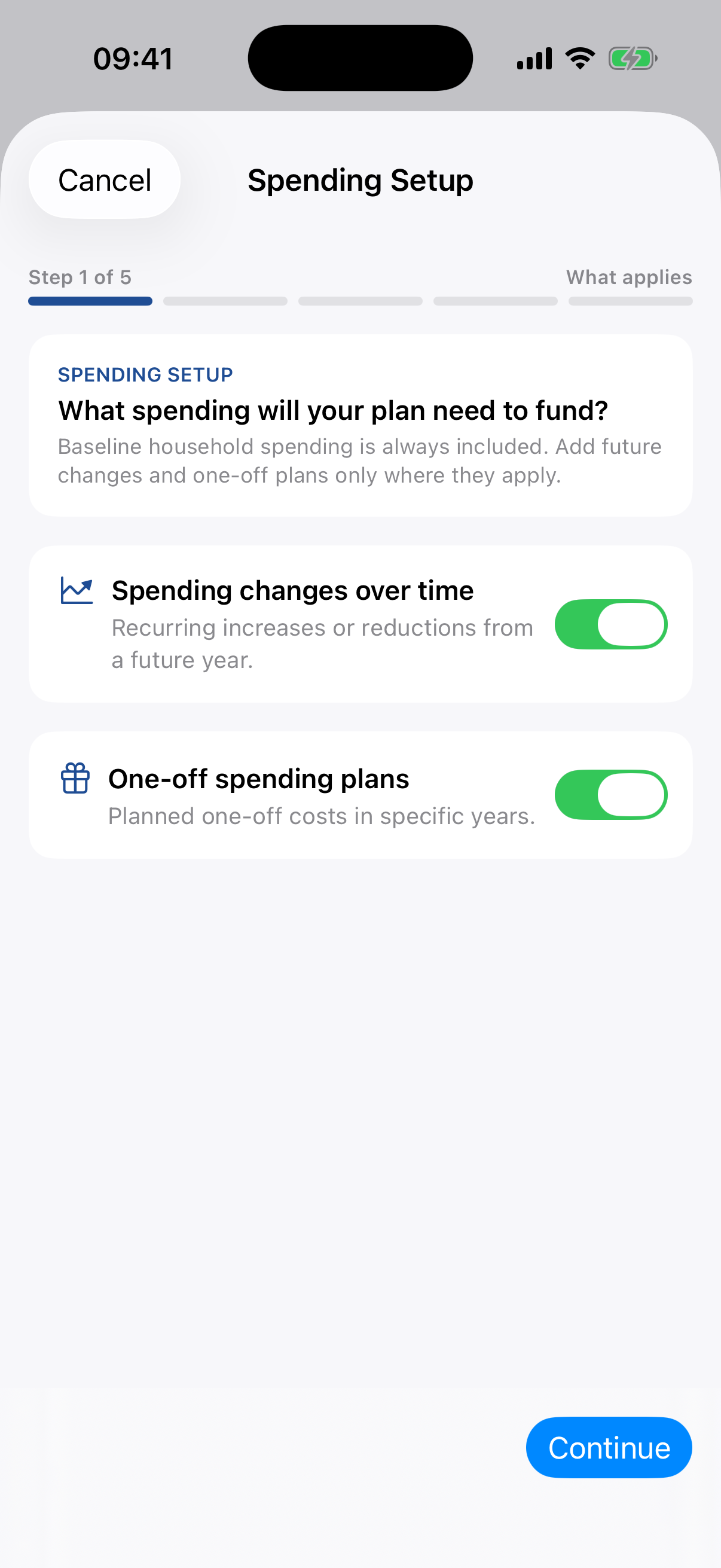
5 · Spending Setup
Start with today, then add what changes.
Enter baseline living costs, discretionary spending and holidays. Add future recurring increases or reductions and any dated one-off spending.
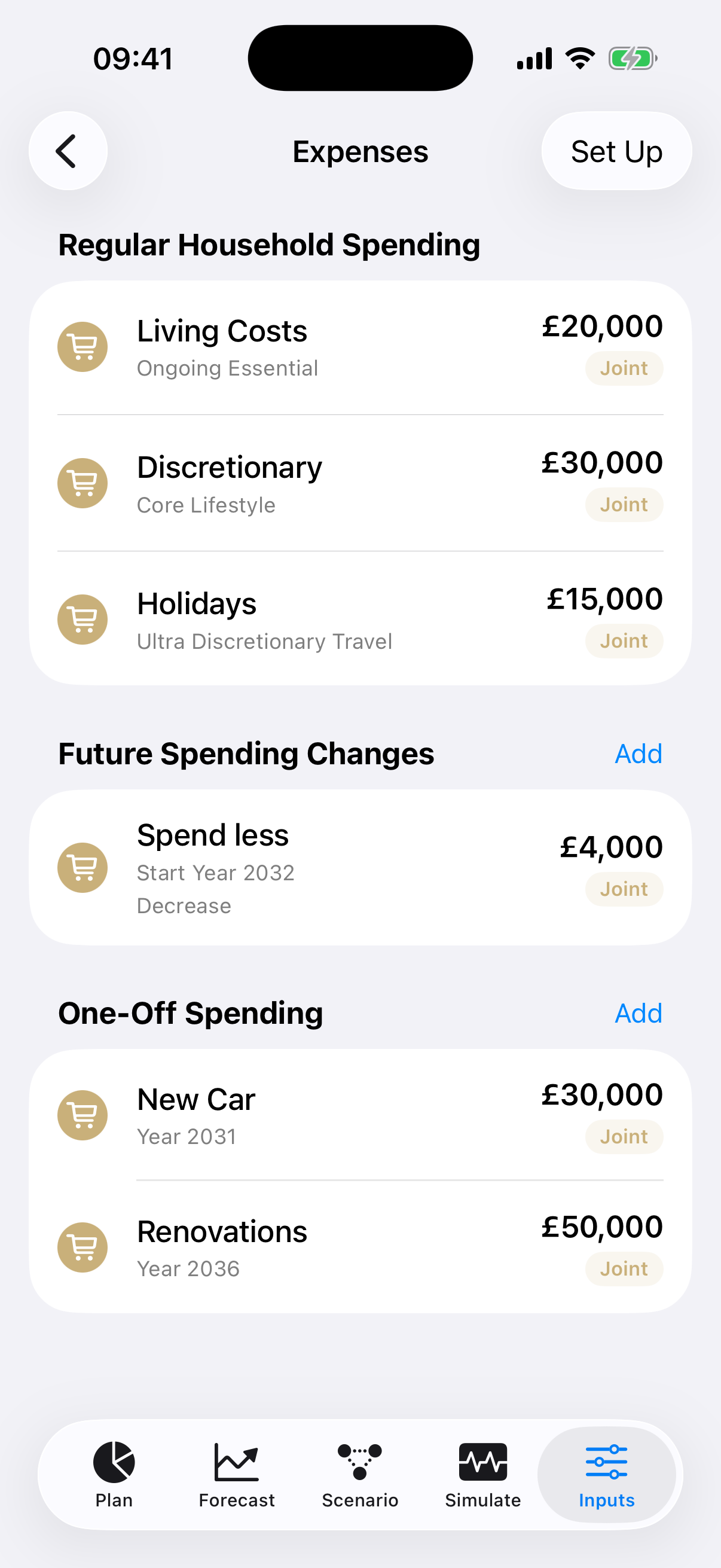 Spending list
6 · Refresh
Build one shared forecast snapshot.
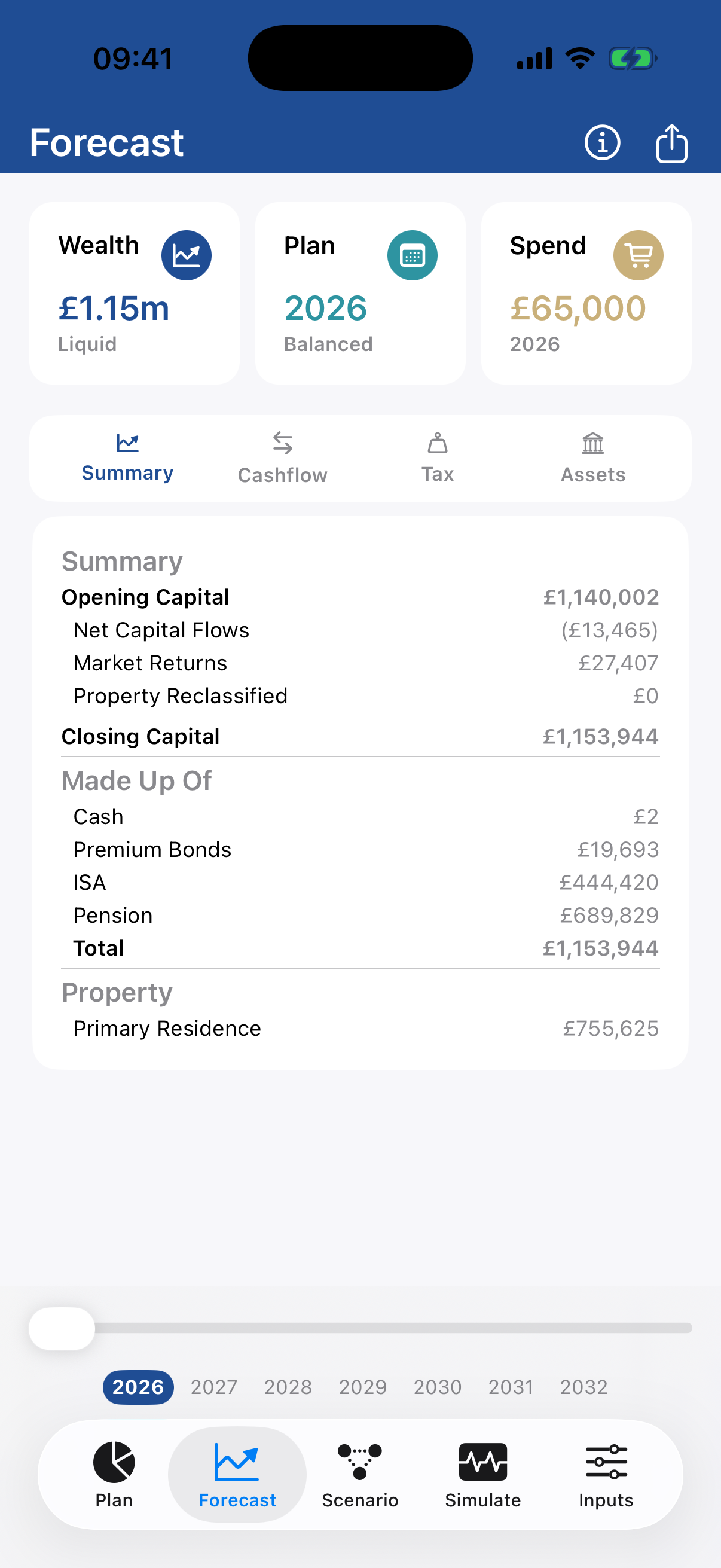
Input edits save the model but do not continuously rerun every result. Pull down on Plan, Forecast or Scenario when you are ready. Wait for calculation to finish before reviewing or exporting the results.
10 · Reports
Export and challenge the plan.
Create the Plan PDF, build the on-demand funding-strategy comparison, export the detailed forecast CSV or share a readable inputs summary. The strategy report takes longer because it runs and retains results for every funding strategy before building the PDF.
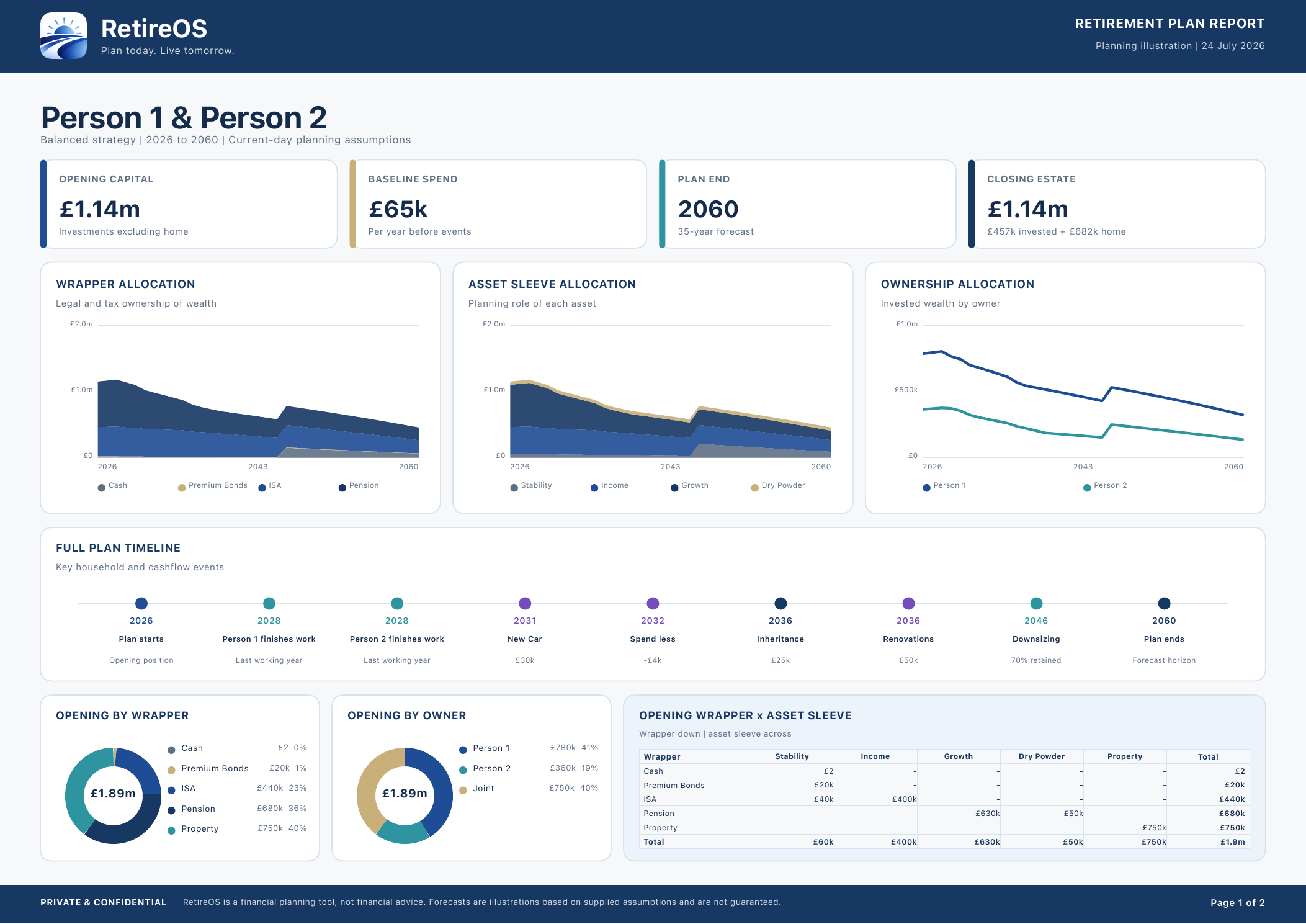 Plan PDF
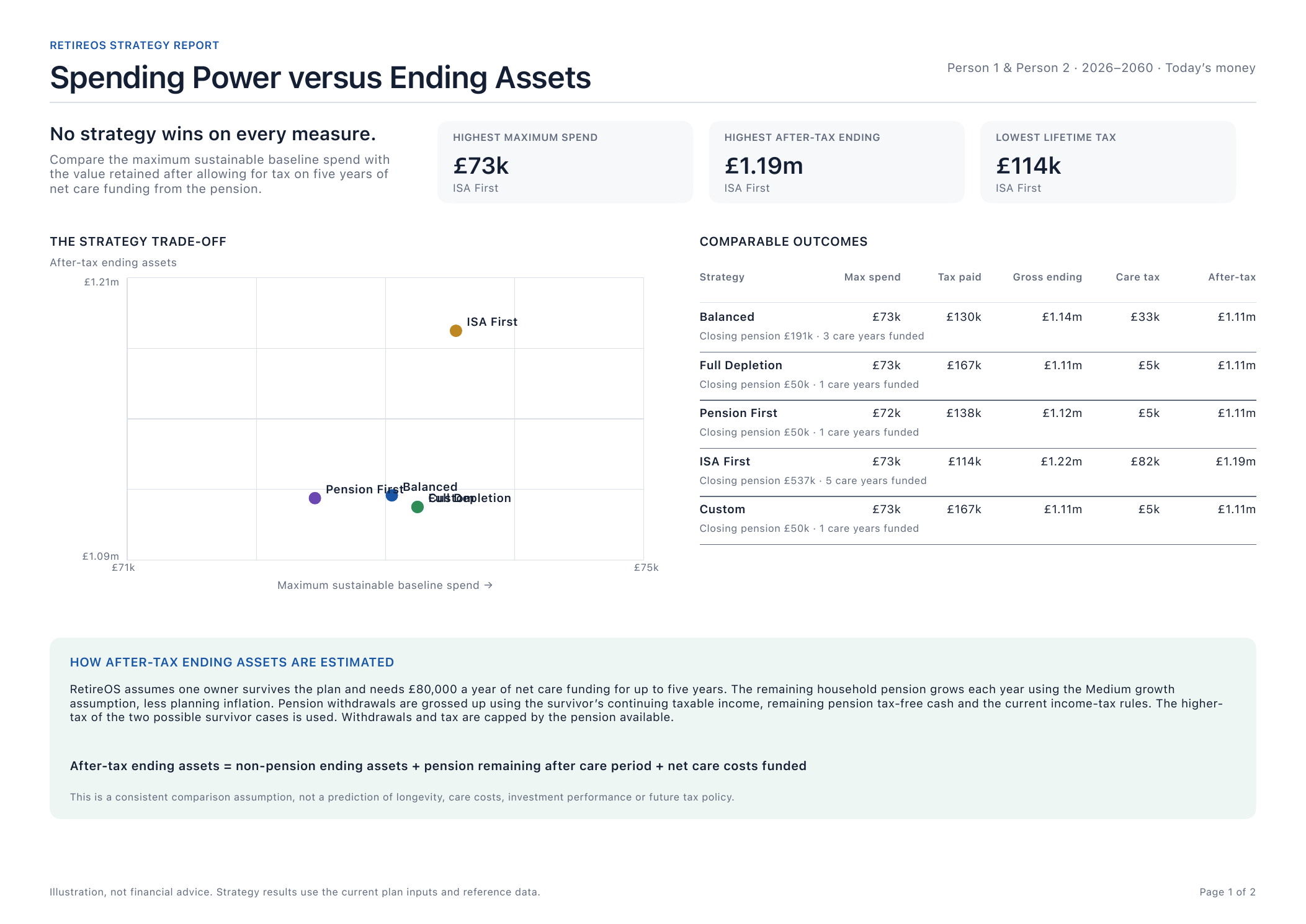 Scenario PDF
Important
Current limitations.
RetireOS is deterministic planning software, not financial advice. Read the Current Limitations & Planning Approximations guide for areas such as investment bonds, survivor modelling and IHT.